
PhotoCraft: The free, open-sourcePhotoshop alternative
Layers, masks, adjustment layers and real PSD files, with the menus and shortcuts your hands already know. A native, GPU-accelerated editor written in pure Rust. No subscription. No account. No cloud.
Windows · macOS · Linux · FreeBSD · Web — MIT / Apache-2.0
- GitHub stars
- 22.7k
- Installer downloads
- 187k
- Forks
- 3.0k
- Scriptable commands
- 500+
- Automated tests
- 1,700+
- PSD files round-trip
- 307/309
Why people are switching
Professional editing, without the strings attached
PhotoCraft went from zero to 20,000+ GitHub stars in its first week because it removes the frustrations that come with image editing today.
Paying every month to open your own files
Free forever
No subscription, no trial timer, no watermark, no ads. The code is MIT / Apache-2.0, so nobody can take it away.
No Photoshop on Linux
Truly cross-platform
Native builds for Windows, macOS, Linux (AppImage, deb, rpm, Flatpak) and FreeBSD, plus a WebAssembly build for the browser.
Relearning everything in GIMP
Muscle memory included
Menus, panels, tools and shortcuts sit where you expect them, from ⌘J to ⇧⌘D. If you know Photoshop, you already know PhotoCraft.
A client sends a PSD you cannot open
Real PSD and PSB files
Open, edit and save layered Photoshop documents. 307 of 309 files in the psd-tools test set render the same after re-saving.
Uploading private photos to a cloud editor
Offline and private
Everything runs on your machine, including Select Subject and Object Selection. No sign-in, no telemetry wall, no uploads.
Bloated, laggy Electron apps
Native Rust and GPU
A wgpu compositor on Metal, Vulkan, DirectX 12 and WebGPU, copy-on-write tiles and multithreaded filters. No web view, no waiting.
Features
Everything you reach for, every day
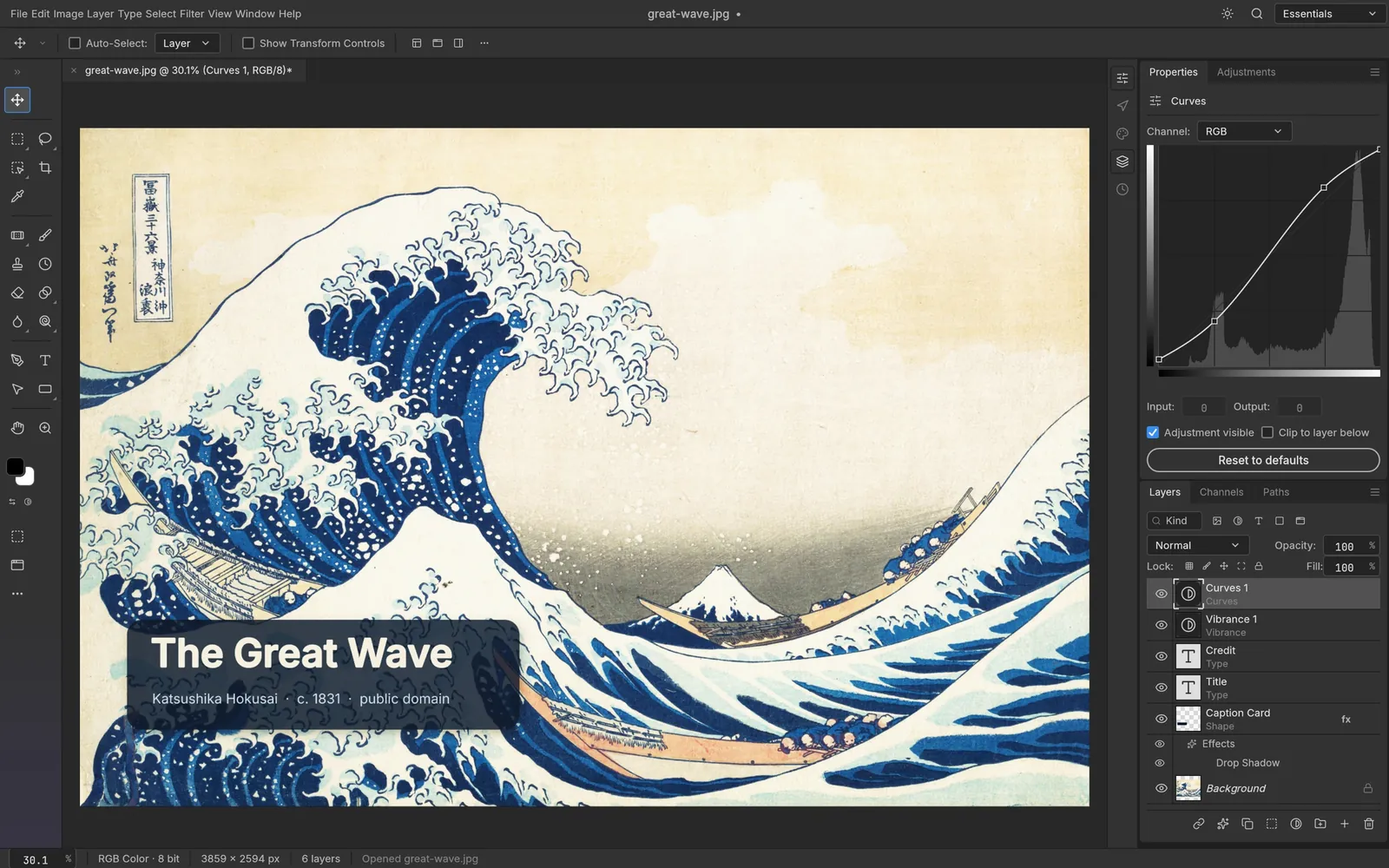
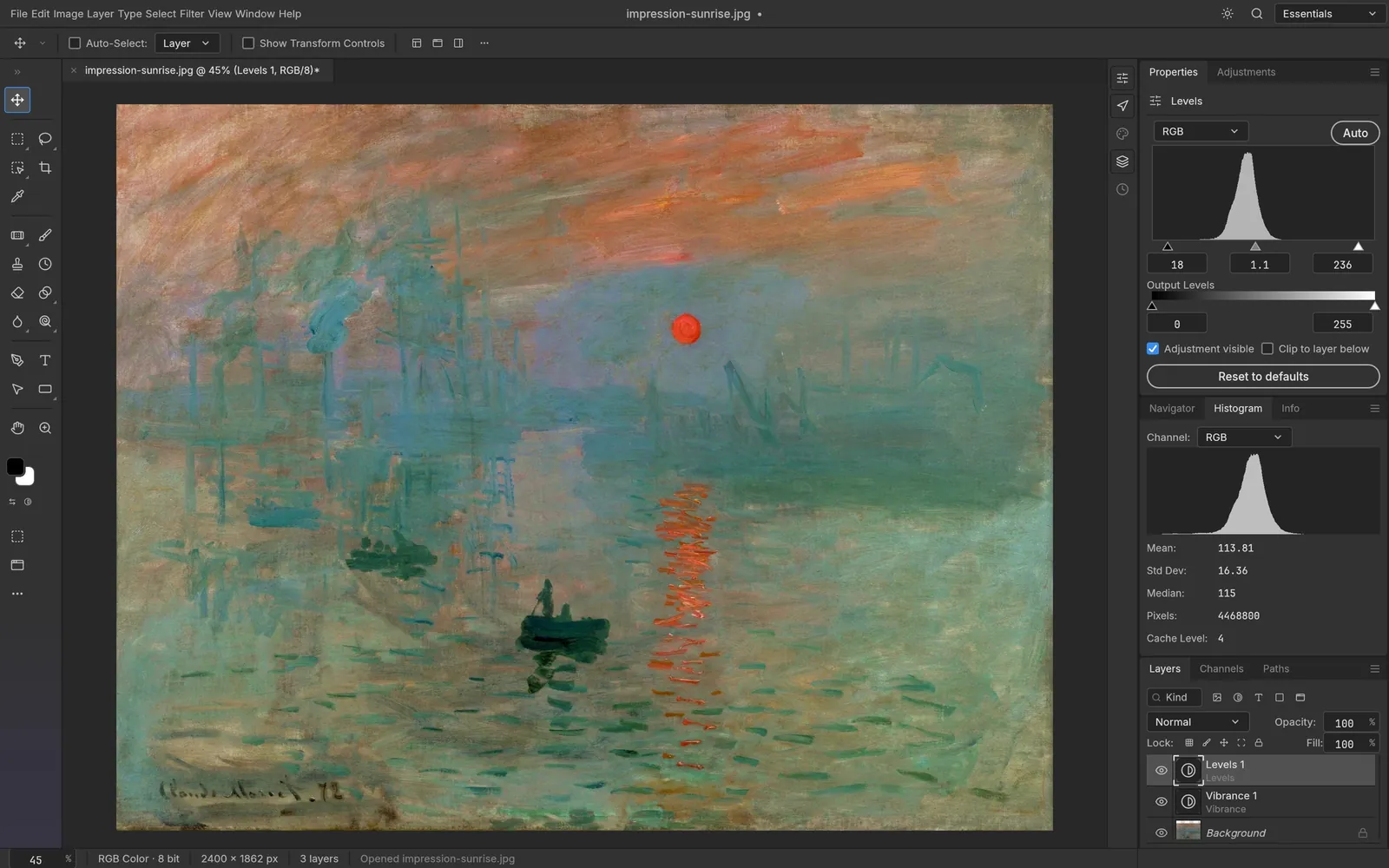
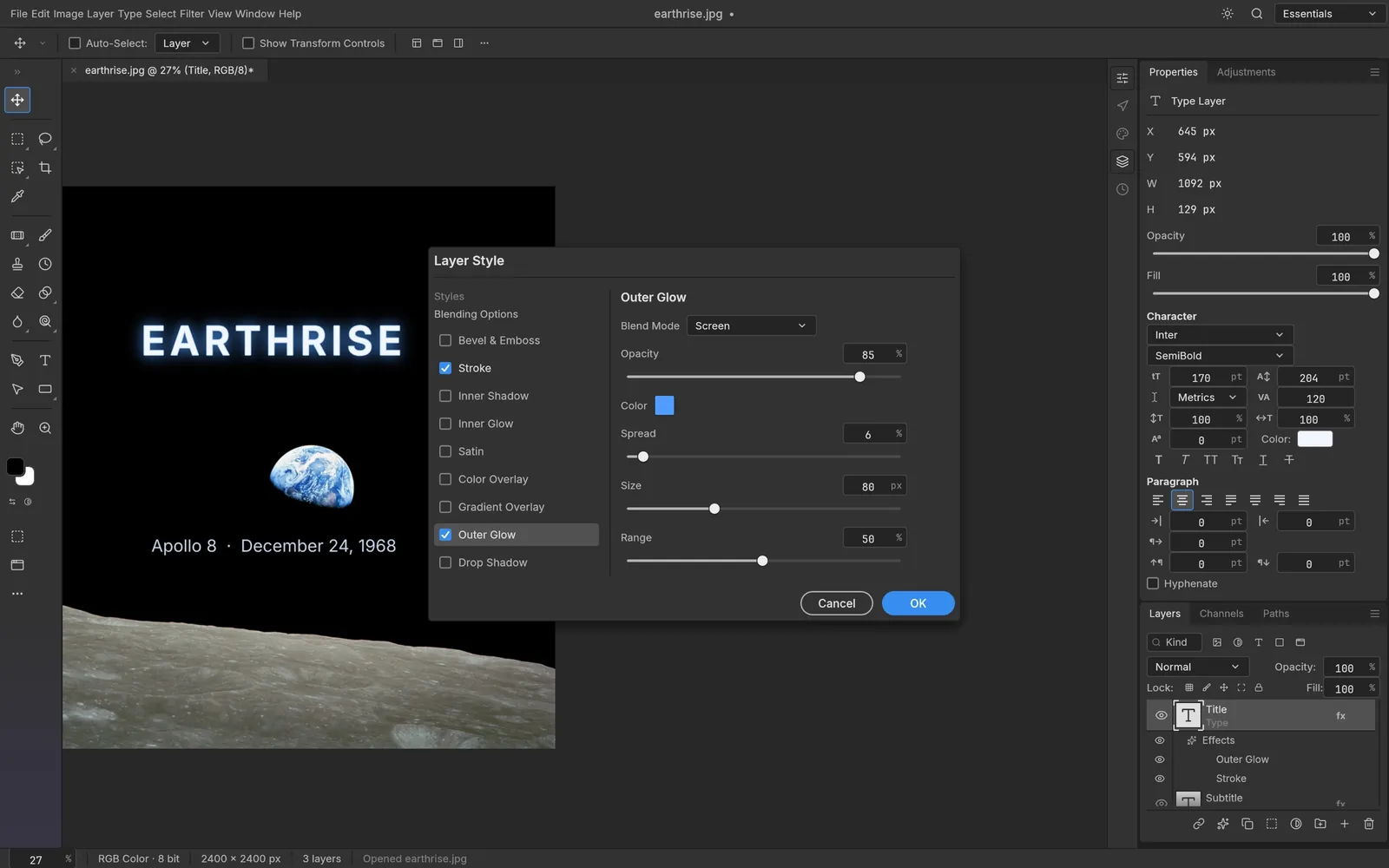
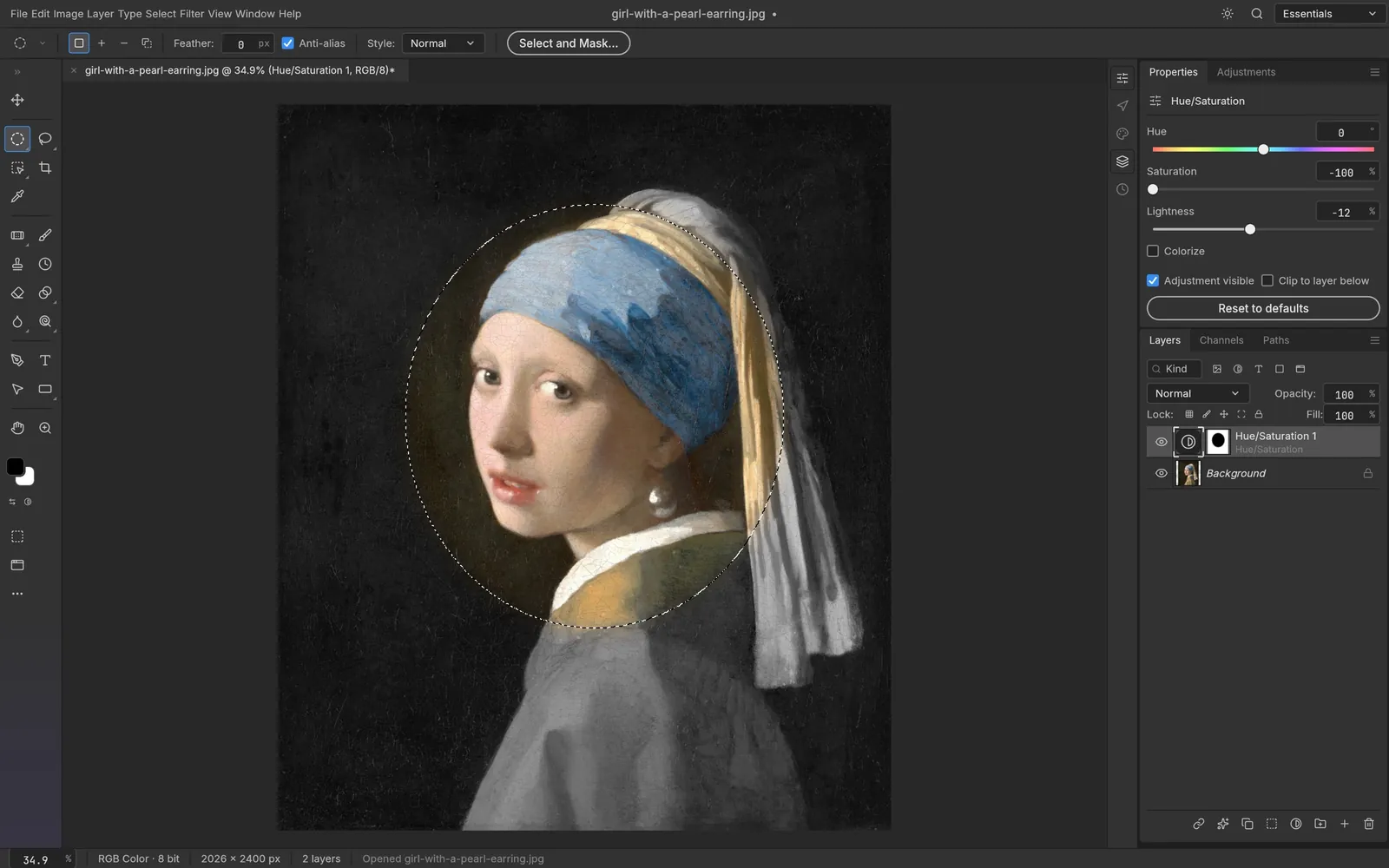
Every screenshot is the real app at work on public-domain art. Pick a feature to see it.
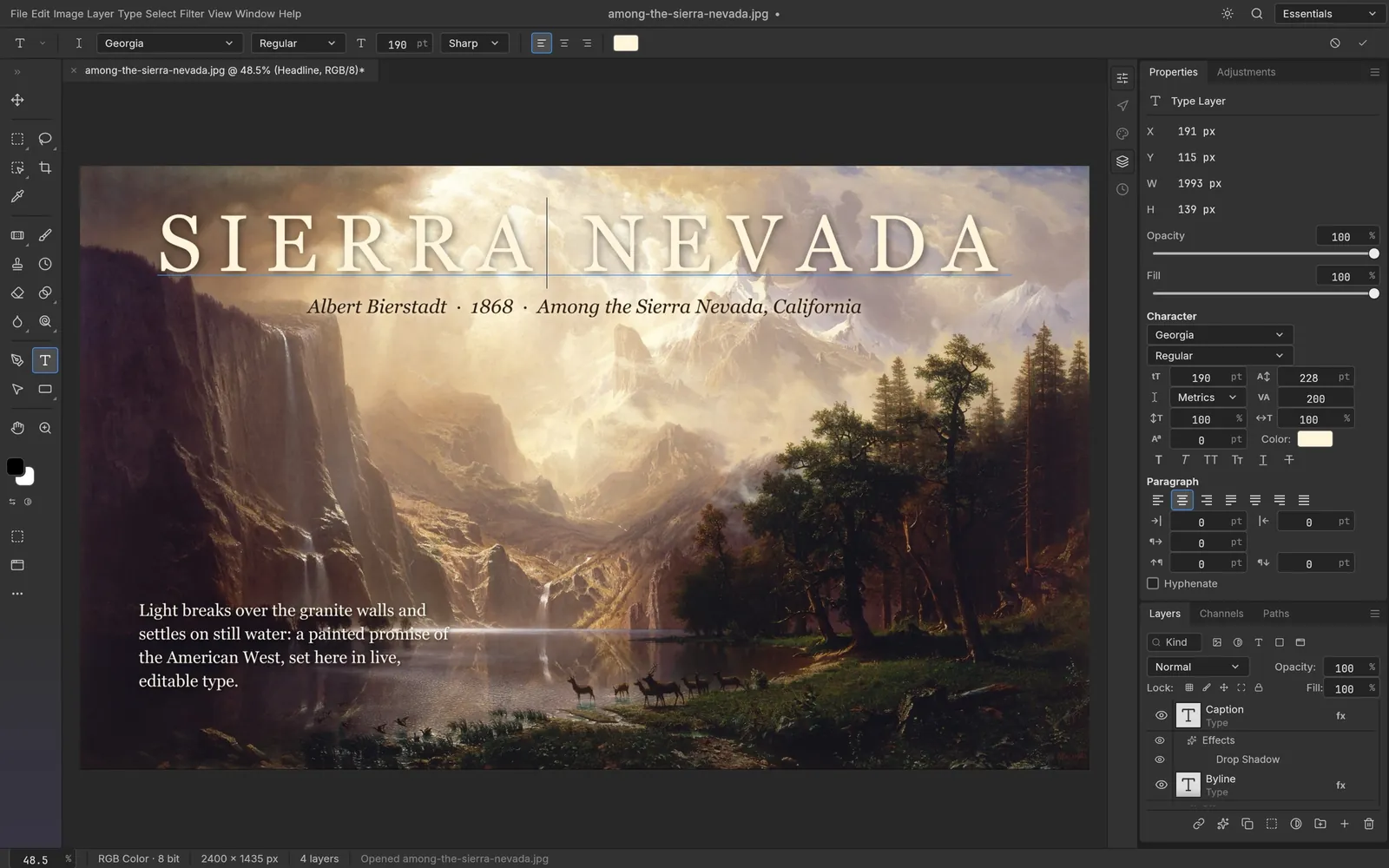
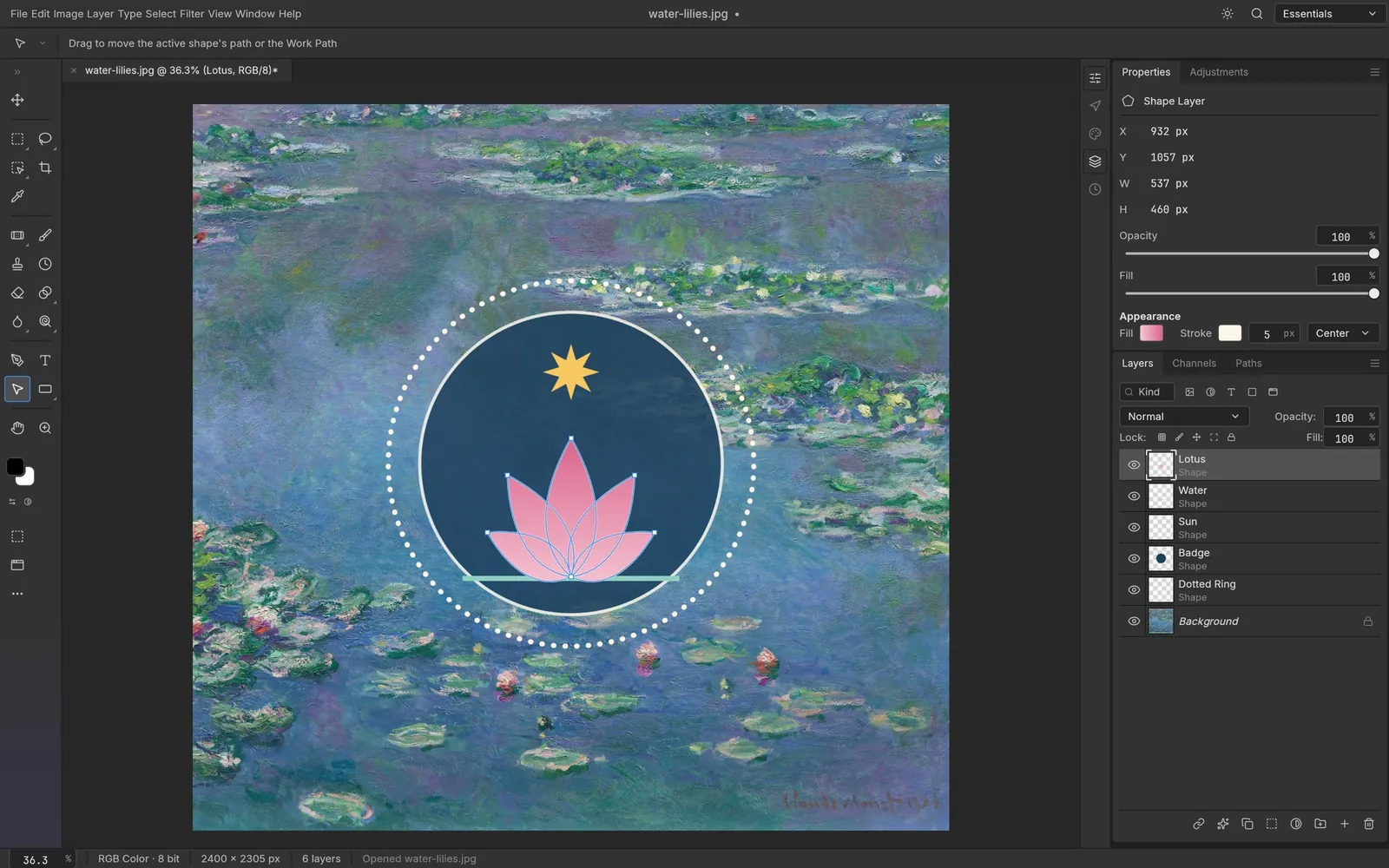
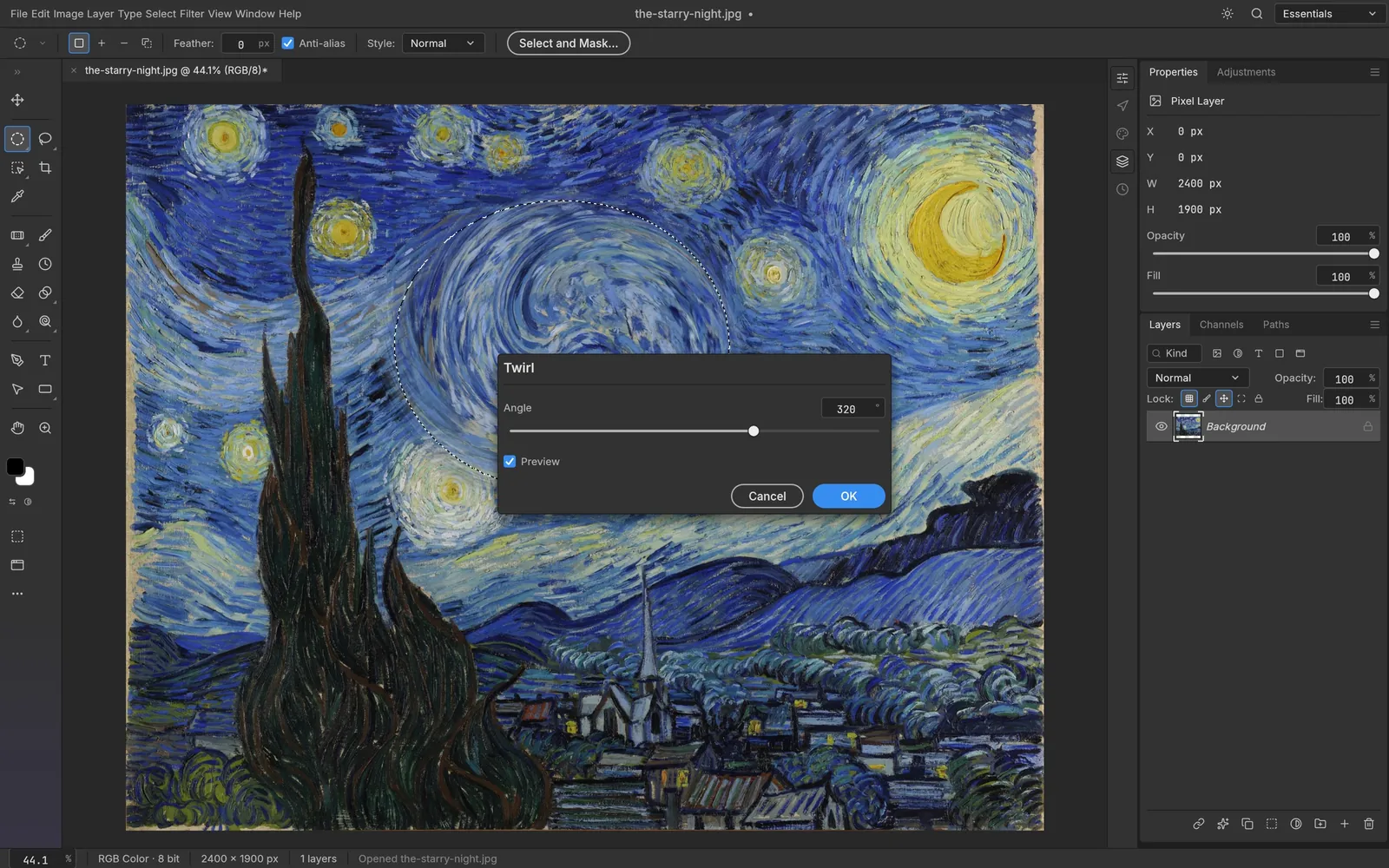
Non-destructive by design
Change your mind as often as you like
Adjustment layers sit on top of your pixels instead of rewriting them. Toggle, reorder, mask or delete them at any time — the original is always one click away. Drag the handle to feel the difference.
Black & WhiteOriginalOpens and saves the files you already have
- PSD
- PSB
- TIFF
- PNG
- JPEG
- WebP
- AVIF
- HEIC
- OpenEXR
- Radiance HDR
- GIF
- BMP
- TGA
- ICO
- QOI
- PNM
- .pcraft
- .cube LUT
- .pat
Everything in the box
A complete editor, not a toy
The depth you expect from a professional tool, already in early alpha.
34 tools
Move, marquees, three lassos, Magic Wand, Quick and Object Selection, Crop, Brush, Mixer Brush, Clone Stamp, Healing and Spot Healing, Gradient, Dodge, Burn, Pen, Type, five Shape tools and more.
A real brush engine
Shape Dynamics, Scattering, Texture, Dual Brush, Color Dynamics, Wet Edges and Smoothing, driven by pen pressure, tilt and rotation. Presets and Define Brush from Selection.
Layers, done properly
Groups, clipping masks, pixel and vector masks, fill layers, live smart objects with smart filters, 27 blend modes, locks, colour labels, align and distribute.
Any colour, any depth
RGB, Grayscale, CMYK and Lab at 8, 16 and 32 bits per channel. ICC colour management, soft proofing and Gamut Warning on the GPU.
Free Transform and full history
Scale, rotate, skew, distort and perspective. Unlimited history, Toggle Last State and the History Brush — undo even a single brush stroke.
Export anywhere
Export As with format, quality, scale and an instant file-size estimate, one-click Quick Export to PNG, Actions you can record and replay, and a ⌘K command palette.
Built for automation and AI agents
Anything you can click, a script can do
Every menu item, tool and dialog runs a command from a single registry of 500+ commands. The UI, the command line, a JSON control channel and an MCP server all share it — so batch jobs and AI agents get the full editor, not a crippled API.
- Headless editing with photocraft-cli run
- Apply one action list to a whole folder with batch
- Let Claude, Cursor or any MCP client drive the editor
# Headless: open, edit, save$ photocraft-cli run wave.psd \ --cmd filter.sharpen.smartSharpen --params '{"amount":80}' \ --cmd layer.newAdjustmentLayer.curves \ --out wave-final.png# One action list, a whole folder$ photocraft-cli batch --actions grade.json --in ./raw --out ./graded# Let an AI agent drive it over MCP$ photocraft-cli mcp$ Compare
PhotoCraft vs Photoshop, GIMP and Photopea
An honest look at where PhotoCraft fits today. It is early alpha — and already the only one that is free, open source, native and Photoshop-shaped.
| Feature | PhotoCraft | Photoshop | GIMP | Photopea |
|---|---|---|---|---|
| Price | Free | Subscription | Free | Free with ads |
| Open source | MIT / Apache-2.0 | No | GPL | No |
| Photoshop menus and shortcuts | Yes | Yes | Different | Yes |
| Edit and save layered PSD | Yes, 307/309 round-trip | Native | Partial | Yes |
| Native app (not a browser tab) | Rust + GPU | Yes | Yes | Browser |
| Linux | Native | No | Native | Browser |
| Works offline, no account | Yes | Adobe ID required | Yes | Online app |
| CLI and MCP for AI agents | Built in | Scripting | Script-Fu / Python | Scripting |
| Generative AI | Not yet | Firefly | Via plug-ins | Limited |
| Maturity | Early alpha | Industry standard | Mature | Mature |
Based on public documentation as of October 2026. Product names are trademarks of their respective owners.
Download
Get PhotoCraft for free
Every button below links straight to the official GitHub release — no mirrors, no repackaging, no installers-within-installers.
- MSI installerRecommendedphotocraft-0.3.0-windows-x64.msix6451.4 MB
- Portable .zipphotocraft-0.3.0-windows-x64-portable.zipx6462.2 MB
- MSI installerphotocraft-0.3.0-windows-arm64.msiARM6448.8 MB
- Portable .zipphotocraft-0.3.0-windows-arm64-portable.zipARM6459.8 MB
- MSI installerphotocraft-0.3.0-windows-x86.msix86 (32-bit)50.3 MB
- Portable .zipphotocraft-0.3.0-windows-x86-portable.zipx86 (32-bit)60.2 MB
Install on Windows
- 1Download the x64 MSI installer (most PCs) and run it.
- 2On ARM laptops such as Snapdragon devices, pick the ARM64 build.
- 3Prefer no installer? Unzip the portable build anywhere and run it.
Build from source
Requires Rust 1.90 or newer.
$ git clone https://github.com/storytold/photocraft$ cd photocraft$ cargo run --release -p photocraftPhotoCraft is in early alpha. Much of Photoshop is already there, but it is not yet a full replacement for daily professional work — expect rough edges and missing generative AI.
Read the honest parity assessmentFAQ
Questions, answered
Is PhotoCraft really free?
Yes. PhotoCraft is free and open source under the MIT and Apache-2.0 licences. There is no subscription, trial period, watermark, account or advertising, and you can use it for commercial work.
Is this the official PhotoCraft website?
No. photocraft.im is an independent, unofficial community guide. PhotoCraft is developed by the ArtCraft community in the storytold/photocraft repository on GitHub. Every download link on this page points to the official GitHub releases.
Can PhotoCraft replace Photoshop?
For many everyday jobs — layered editing, retouching, adjustment layers, layer styles, type and PSD hand-offs — it already can. It is still early alpha, though: generative AI, about twenty tools, plug-in compatibility and some advanced typography are missing, so professionals should run it alongside their current tools for now.
Can PhotoCraft open and save PSD files?
Yes. It opens and saves layered PSD and PSB documents, including 16- and 32-bit, CMYK and Lab files. Re-saving renders the same for 307 of the 309 files in the psd-tools test set, and data it does not model yet is carried over instead of being dropped.
Which operating systems are supported?
Windows (x64, x86 and ARM64; MSI or portable), macOS (one universal build for Apple silicon and Intel), Linux (x86_64 and ARM64 as AppImage, deb, rpm, Flatpak or tarball), FreeBSD 14, and any modern browser through the WebAssembly build.
Is it safe to download?
Download only from the official GitHub releases, which is where every link here goes. Each release publishes SHA-256 checksums, the macOS app and CLI are signed and notarized by Apple, and because the source is open you can audit it or build it yourself.
Does PhotoCraft need an internet connection or an account?
No. PhotoCraft runs entirely on your computer. Smart selection features such as Select Subject run locally, so your images never leave your machine.
How does PhotoCraft compare to GIMP and Photopea?
GIMP is mature and open source but has its own interface and limited PSD support. Photopea feels like Photoshop but runs in the browser with ads. PhotoCraft combines a Photoshop-style interface, strong PSD round-trips and a native, offline, open-source app — at the cost of being much younger.
Can I automate PhotoCraft or use it with AI agents?
Yes. photocraft-cli runs any of the 500+ commands headlessly, applies action lists to whole folders, and starts an MCP server so AI agents can drive the same engine you use in the app.
Is PhotoCraft related to the PhotoCraft AI photo apps on iOS?
No. Several unrelated apps share the name. This page covers the open-source desktop image editor from github.com/storytold/photocraft.
How do I build PhotoCraft from source?
Install Rust 1.90 or newer, clone github.com/storytold/photocraft and run cargo run --release -p photocraft. The README and AGENTS.md in the repository explain the workspace in detail.
Your next edit is free
Download PhotoCraft, open a PSD, and keep the money you would have spent on a subscription.